Withdraw
Withdraw
Withdrawal, you can transfer the withdrawable balance from your PayCools account to your linked bank account. Only funds generated by receipts can be withdrawn; funds such as deposits and transfers can be used for payments and transfers, but they cannot be withdrawn directly.
Add or update a bank account
Before initiating a withdrawal, you need to set up a bank account to receive withdrawal funds. You can add or manage your bank account by logging into the merchant platform and going to → Funds Management Funds Settings. The bank account must be approved by the PayCools operator before it can be used for withdrawals, see Bank account management.
Once your bank account is set up, you can select that account when you cash out, and choose to cash out manually or automatically as needed.
Withdrawal method
Withdrawal method Determines when PayCools sends the available balance to your bank account.
| Withdrawal method | Description |
|---|---|
| Manual Withdrawal | You choose when and how much you want to withdraw, and submit a withdrawal request on the merchant platform. |
| Auto withdraw | PayCools automatically initiates a withdrawal when the withdrawable balance reaches the set trigger amount. |
How cashout times work
Choosing to cash out manually or automatically does not change the billing cycle for your payout. Withdrawal method only determines when funds that have entered the withdrawable balance are sent to the bank account. For example, a payout may be settled in real time, the next day, or in a different billing cycle depending on the payment method. Withdrawals can only be made after the funds have been settled and entered into the withdrawable balance.
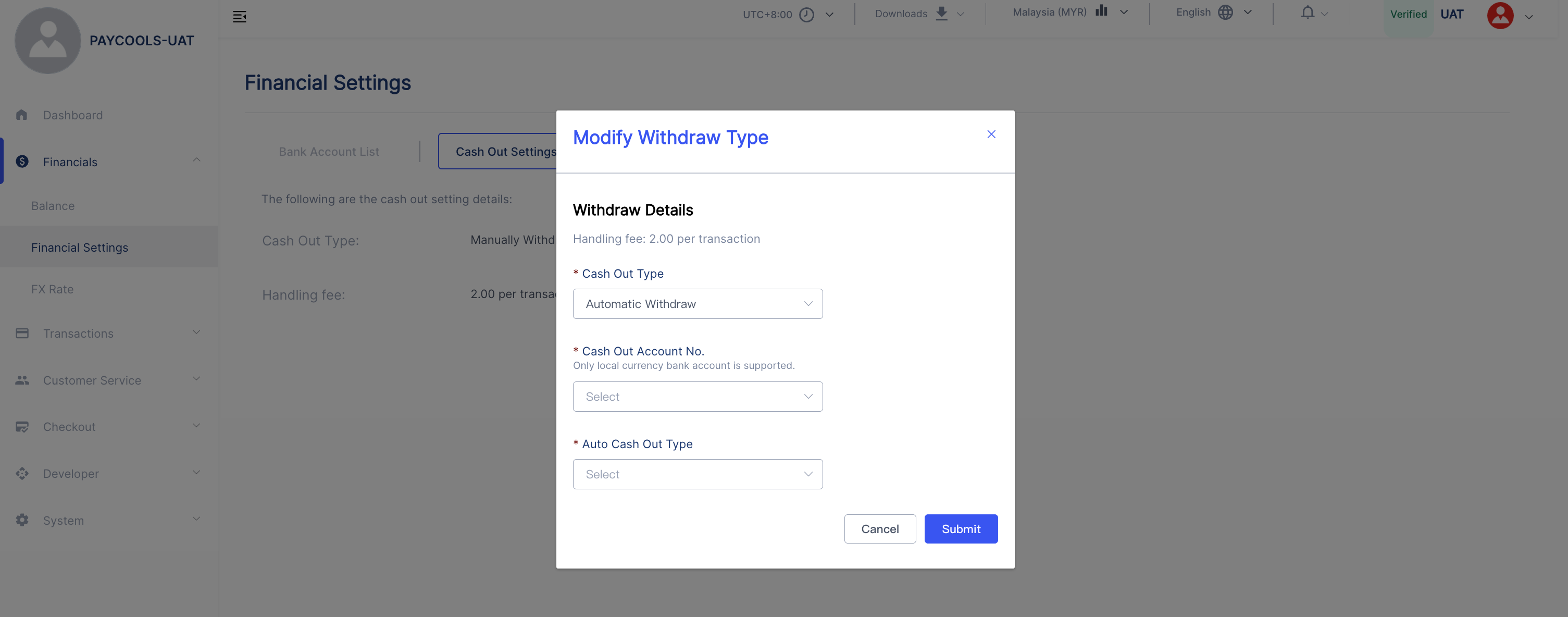
Please refer to the specific settings of the withdrawal method (withdrawal account, withdrawal cycle, automatic withdrawal trigger amount, etc.) Withdrawal Settings.
Manual Withdrawal
When using manual withdrawal, you can select a bank account on the merchant's platform, fill in the withdrawal amount, and submit a withdrawal request:
- Click the "Withdraw" button to open the withdraw pop-up window.
- Select the bank account that will receive the funds.
- Enter the withdrawal amount.
- Confirm the withdrawal information and submit it.
The manual withdrawal amount needs to be greater than the handling fee generated by the withdrawal. To cash out to a new card, first add it to your cashout settings and complete the review.
Auto withdraw
When using automatic withdrawal, you can set the trigger amount for automatic withdrawal on the merchant platform. If the withdrawable balance at 0:00 daily is greater than or equal to the set trigger amount, PayCools will include the entire withdrawable balance at that time in the automatic withdrawal, instead of withdrawing only the portion that exceeds the trigger amount. Eligible auto withdrawals are typically initiated daily from 9:00 – 10:00.Weekends and public holidays are handled in accordance with applicable holiday rules. Some withdrawal requests may need to be reviewed before they can be processed.
View Withdrawal History
After the withdrawal request is submitted, you can check the withdrawal status and processing results in the withdrawal record of the merchant platform. If the withdrawal fails, the funds will be returned to your account balance.